How to stop data leaks in companies
Data leaks rarely start with a large, visible intrusion. It can begin when an employee sends a document to the wrong recipient, uses the same password for more than one service, or leaves a laptop unattended. Companies that want to know how to stop data leaks therefore need to look at the entire operation – people, devices, access, data, and response capability – not just a single security software.
The consequences can be greater than direct costs. Sensitive customer data, contracts, financial information, and internal plans can go astray. Operations halt, trust diminishes, and managers have to spend time on damage control when they should be focusing on the business. For small and medium-sized businesses, the best defence is usually not a complex toolset, but clear responsibility, simple rules, and constant oversight.
Where data leaks really originate
Many companies focus on external attacks, but daily risks are often closer. An employee might share a file from cloud storage with an open link, save data to a personal computer, or send personal information in an unencrypted attachment. A former employee might retain access to an inbox or business system. A lost phone could contain active login credentials.
This doesn't mean that staff are the problem. Most mistakes happen when processes are unclear, systems are too complex, or people haven't received simple instructions on what to do. Security that hinders people from working tends to be bypassed. Good security practices therefore support the work while protecting the data.
Attackers also exploit the human element. A fake login page, a convincing payment request, or an email that appears to come from a partner can be enough to steal access. Once one account is compromised, attackers can search for sensitive data, send more phishing emails from within the company, or prepare a ransomware attack.
How to stop data leaks with proper access
Access control is one of the most effective ways to reduce the likelihood of leaks. The basic principle is simple: each employee should only have access to the data and systems needed to perform their job. No more, and no longer than necessary.
Start by mapping where your most important data is stored. This could be documents in Microsoft 365, accounting systems, CRM systems, shared folders, email, or specialised business systems. Then, you need to define an owner for each system and which roles have read, modify, export, or administrative access rights.
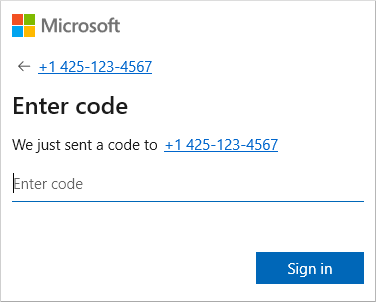
Multi-factor authentication should be the default for email, cloud services, remote access, and administrator accounts. A password alone is not sufficient protection, even if it is long. A password manager helps staff use unique and strong passwords without having to remember them all. This reduces both password reuse and the temptation to store them in documents or on sticky notes.
Access must also follow the employee lifecycle. When a new employee starts, they need the correct setup from day one. When a role changes, old permissions must be removed. When an employee leaves, access must be revoked immediately, equipment recovered, and it must be ensured that important information is not tied to a personal mailbox or private cloud storage. This is simple in theory, but requires a clear process and responsible parties.
Protect the devices that data passes through
Data is not just in the database. It passes through laptops, phones, browsers, email, printers, and shared networks. If devices are not managed, security will be uneven and it will be difficult to see where the risks lie.
All work devices should be registered, updated, and protected with centralised management. This allows the IT team to see if security updates are missing, if encryption is enabled, and if unusual behaviour requires investigation. Endpoint protection can detect malware, suspicious logins, and attempts to encrypt files before an incident can spread.
Encryption on laptops and mobile phones is crucial when devices are lost or stolen. The data on the device then becomes unreadable without the correct credentials. For remote work, it must also be decided which personal devices are allowed, what data can be transferred to them, and how company data can be erased from a device if an employee leaves or the device is lost.
Not all companies need to ban personal devices entirely. It depends on the nature of the data, regulations, and work practices. But without clear rules, the decision will effectively be made by each employee individually, which is a costly and unpredictable risk.
Make email and file sharing more secure
Email remains one of the most common routes into and out of a company. Therefore, it must be protected with more layers than just a spam filter. Technical defences should screen for spoofed senders, malicious attachments, and suspicious links. It should also be made easy for staff to report suspicious messages without fear of having done something wrong.
File sharing must also be purposeful. Staff should know when to send attachments, when to share a file from an approved cloud service, and how to set up temporary access for external collaborators. Public sharing links and permanent access for people outside the company can be convenient, but they increase risk if no one reviews them.
Particular attention must be paid to financial processes. Changed bank details, unexpected payment requests, or demands for confidentiality are typical signs of fraud. A simple confirmation via a known communication channel can prevent significant damage. An employee should never have to take such a risk alone.
Training that changes behaviour, not just forms
An annual security presentation is better than nothing, but it is rarely sufficient on its own. Training needs to be linked to the actual tasks of employees: how to identify phishing emails, what to do if a document is sent to the wrong recipient, and whom to notify if a phone or computer is lost.
Short, regular reminders often work better than long training sessions once a year. Simulated phishing tests can also provide a useful picture of where support is needed, as long as they are used for education and not for shaming people. The goal is for staff to react quickly and correctly, not to fear mistakes.
Managers are important here. If they do not follow the same rules for access, approvals, and secure collaboration, it sends the wrong message. Security becomes part of the culture when it is treated as an operational responsibility, not as a barrier that only the IT department needs to handle.
Assume an incident and test the response
No defence is absolute. Therefore, data protection is also a question of how well the company can respond when something goes wrong. Who decides if it is a real incident? How is access blocked? Where are the backups? How are employees, customers, or managers notified as needed?
A well-defined incident response plan reduces the time that an attacker or an error can cause damage. It must include contacts, system priorities, steps for isolating devices, and procedures for preserving data that may be relevant to an investigation. However, a plan that lies untested in a folder is not sufficient. Test it with a simple exercise and update it when systems, staff, or workflows change.
Backups are the last line of defence against destruction or ransom, but only if they can be restored. Backups need to be automated, separated from the daily work environment, and tested regularly. There is a big difference between having backups and being able to restore the most critical systems within the time the business can tolerate.
Get an overview before the costs escalate
Effective data protection does not start with buying as many tools as possible. It starts with an overview: Which data is most important? Where is it? Who has access? Which devices are in use? And how quickly does the business need to be able to resume operations after an incident?
When the answers are available, priorities can be set. For example, a company with a small IT team can achieve great success with multi-factor authentication, central device management, regular backups, and a clear process for new and departing employees. Then, you can build on that according to risk and requirements.
At nexIT, we work with companies to make this responsibility simpler: finding vulnerabilities, keeping systems updated, protecting endpoints, and ensuring recovery is feasible when it matters most. Good data protection should not create more daily tasks for managers. It should give them greater confidence that operations will continue, even when unexpected incidents occur.