Microsoft 365 Security for Business in 8 Steps
One stolen password can give an attacker access to email, draft contracts, payment information, and customer communications. That's why Microsoft 365 security for businesses isn't simply a setting that's enabled once. It's an interplay of access control, monitoring, clear responsibility, and response when something goes wrong.
Microsoft 365 is the core of many businesses' operations. It contains email, files, Teams conversations, and often sensitive information about staff, customers, and finances. Default settings are rarely suitable for all operating environments. Businesses need to make informed decisions about who gets access, from where they log in, and how suspicious activity is responded to.
What does Microsoft 365 security for businesses involve?
Good defence isn't about blocking everything. It's about allowing staff to work quickly and securely, without a single wrong click or unsecured phone putting the business at risk. For small and medium-sized businesses, the challenge is usually not a lack of solutions. It's more often that responsibility is diffused, settings are postponed, and no one regularly monitors whether the defences are still working.
Risk also varies. The finance team, for example, needs stricter protection against payment fraud than an employee who only works with general market data. A company with a distributed workplace needs to manage personal devices differently than a company where all work is done in the office. The right setup therefore depends on the activity, its data, and the actual work practices of the staff.
1. Make multi-factor authentication the rule, not the option
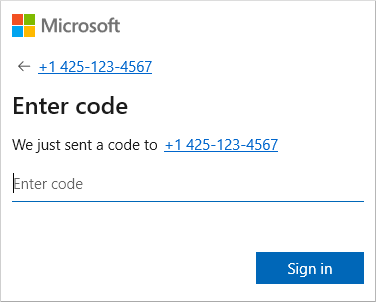
A password alone is not sufficient defence, even if it is long and complex. Passwords leak in data breaches, are reused, or become part of convincing phishing emails. Multi-factor authentication, where a user confirms a login with an authenticator app, security key, or other additional defence, stops a large portion of such attempts.
Not all implementations are equally strong. SMS can be better than nothing, but authenticator apps or physical security keys generally provide greater protection, especially for managers, finance staff, and system administrators. One must also beware of so-called approval bombing, where a user receives multiple requests until they approve one out of fatigue. Number matching and clear instructions to staff reduce this risk.
2. Control access by role and need
An employee should not automatically have access to all shared folders, mailboxes, or administration pages just because it is convenient. Access should follow the person's role and be reviewed when their role changes. This is especially important when staff leave, return from leave, or move between departments.
Administrator access requires special caution. Daily user access and system administration should not be on the same account. With separate administrator accounts, limited privileges, and logging of who has those privileges, damage can be reduced if an account is compromised or errors are made in administration.
3. Use conditional access to set sensible boundaries
Conditional access allows companies to define acceptable conditions for logging in. Multi-factor authentication can be required outside the office, older login methods can be blocked, or access can be denied from devices that do not meet security requirements.
Security and operational convenience need to be balanced here. Overly strict rules can slow down staff, especially when people work on the go or at a client's site. However, overly permissive rules leave unnecessary loopholes. It is best to start with a clear basic policy, test it with a small group, and monitor where real problems arise before implementing it for the entire company.
4. Protect email, as fraud often starts there
Email is still the most common way into a company. Phishing emails impersonate colleagues, request password resets, or try to change bank details at the last minute. Good email protection therefore needs to combine technical filters and work procedures that staff understand.
Set up protection against malware and phishing emails, mark emails coming from outside the company when applicable, and verify that domain settings support protection against spoofed senders. Most importantly, payment requests or changes to account details should never rely solely on email. A simple rule to call a known contact before approving a payment can prevent significant losses.
5. Protect data, not just login
When a user has legitimate access, they can still accidentally send a file out, share a link too widely, or delete important content. Therefore, it is necessary to know where sensitive data is stored and who needs to work with it. SharePoint, OneDrive, and Teams can support secure collaboration, but only if sharing rules are defined and regularly reviewed.
Sensitive documents, such as employee data, contracts, or financial information, may require classification, restricted sharing, and specific retention criteria. The same rule should not be used for all data. Too much restriction encourages people to find insecure workarounds, while overly free sharing increases the likelihood of information leakage.
6. Monitor devices connecting to the environment
Microsoft 365 is no more secure than the devices used to access it. A computer with an outdated operating system, an unencrypted drive, or unprotected antivirus software can become an entry point to your company's cloud data. Therefore, companies need an overview of the laptops, phones, and other devices that are allowed to access the system.
Device management can require a screen lock, encryption, regular updates, and the ability to remove company data from a lost device. If employees use their own phones, it's not always sensible to manage the entire device. In such cases, it may be more appropriate to protect only the company applications and the data within them. This approach respects employees' privacy without sacrificing necessary control.
7. Ensure backups and realistic recovery
Recycle bins and retention policies are useful, but they do not automatically replace an independent backup strategy. Accidental deletion, incorrect permissions, corrupted synchronisation, or a targeted attack can affect mail, OneDrive, and SharePoint. The company needs to know what data is backed up, how long it is stored, and how quickly it can be restored.
An important question is not only whether backups exist, but whether they have been tested. A recovery attempt made for the first time during a serious incident can take longer than the business can tolerate. Regular testing of recovery gives administrators a realistic picture of risks, costs, and potential downtime.
8. Monitor, respond, and review regularly
Security setup is not a task that ends with a checklist. New employees, new integrations, changed licensing plans, and new attack methods alter the risk landscape. Access logs, alerts about unusual logins, and regular reviews of administrator access help to identify deviations before they become operational problems.
Companies should also have a simple response process. Who makes the decision if an account is compromised? How is access blocked? Who assesses whether data has been viewed or sent out? How are employees informed? Clear answers to these questions save valuable time when it matters most.
Security must match operations and costs
Microsoft offers different licensing plans and security features, but the most expensive license is not automatically the right answer. Some companies require more in-depth conditional access, data classification, and threat analysis. Others achieve great results with robust basic protections, good device management, and regular oversight. What matters is that the investment addresses the actual risks, rather than adding tools that no one has the time or responsibility to operate.
We at nexIT approach this as an operational task, not a collection of complex configurations. We map vulnerabilities, define prioritisation, and handle daily management so that the company gets both better protection and more predictable operations.
A good start is to choose one responsible person, review current access controls, and test whether the company can actually recover its most important data. Once those basic questions have clear answers, security will not be an obstacle to work but a solid part of it.