
Improve operational efficiency with IT
When an employee cannot access their email, the business system slows down, or a password is missing to complete a sale, it’s not just time that is lost. Work stops, service deteriorates, and managers have to deal with a problem that should have been foreseen. Therefore, improving operational efficiency with IT is not about adding more systems to the business. It’s about making people, processes, and devices work together with fewer disruptions and less risk.
This is particularly important for small and medium-sized businesses. There, one inactive employee, one unprotected device, or one failed recovery can have an unusually large impact. Properly managed IT not only creates a faster working day. It provides cost control, reduces operational risk, and helps the business continue when something goes wrong.
Efficiency starts with operations that stop less often
Many businesses measure efficiency solely in speed: how quickly can a quote be sent, a request processed, or a case closed? Speed matters, but stability comes first. If the core systems are unreliable, staff constantly need to find workarounds, repeat work, or wait for assistance. That delay rarely appears as a single large cost item, but it accumulates every week.
Good IT management oversees computers, network access, user accounts, software updates, and cloud services as a single operational foundation. Devices are tracked, faults are diagnosed earlier, and common requests are resolved with a clear process. Staff then get access to the right tools when they need them, instead of relying on an individual who knows the password or where the file is stored.
This does not mean that all deviations disappear. Technology fails, internet connections drop, and mistakes happen. The difference lies in whether the business discovers the problem before it becomes serious and whether there is a plan in place to quickly get operations back up and running.
Improve operational efficiency with IT, not more complexity
It is common for businesses to buy a solution for each individual problem. One system manages passwords, another handles security, a third handles documents, and a fourth handles remote connections. Each solution may be good on its own, but the whole becomes complex if no one is responsible for the interaction. This increases license fees, support requests, and the risk that important settings fall between systems.
A better approach is to start with the workflows. How does a new employee start? Who grants access to data? What happens when an employee leaves? Where are contracts, sensitive documents, and customer information stored? Once the answers are clear, technology can be chosen that supports the process, rather than forcing the business to adapt to a random collection of solutions.
Coordinated user and device management saves time every month. A new employee can receive the right equipment, secure access, and necessary applications according to a standardized procedure. When a role changes or employment ends, access is modified or revoked with the same discipline. This is both more efficient and more secure than handling each case manually.
Automation should also focus on repetitive tasks that require little judgment, for example, updates, device inventory, backups, and routine installations. It should not take over processes where customer relationships, professional judgment, or responsible decision-making are paramount. Correct automation reduces manual work. Incorrect automation, however, can multiply errors in a short time.
Security is a prerequisite for productivity
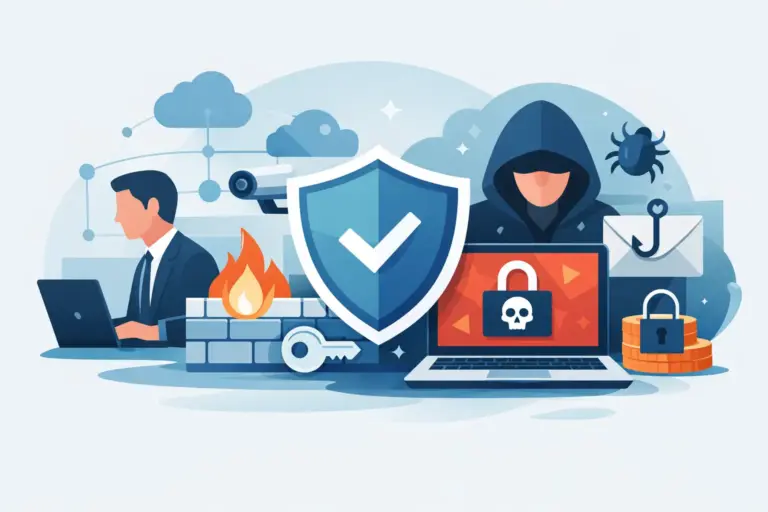
Security matters are sometimes presented as an obstacle to convenient work. Stronger logins, access control, and device policies can certainly change employee habits. But the cost of an unprotected environment is usually much higher: interrupted service, lost files, phishing, financial loss, and diminished customer trust.
Sensible security should consider the risks. Financial systems and sensitive customer data require stricter protection than shared promotional material. Multi-factor authentication, secure password management, endpoint monitoring, and regular updates together form a defense that reduces the likelihood of a single stolen password becoming a serious incident.
Most importantly, security should be part of daily operations, not a task addressed only once a year. Employees need simple ways to report suspicious messages or lost devices. Managers need an overview of who has access to critical systems. And the company needs to know who responds when an alert arises, before time pressure and uncertainty take over.
Backups are only useful if they can be restored
Backups are often mentioned as insurance, but a backup that has never been tested is not a guarantee of recovery. A file may exist but be unreadable, incomplete, or stored in a location that an attacker can also access. A company relying on backups needs to be able to answer a simple question: How quickly can we get the most critical systems and data back into operation?
The answer depends on the nature of the operation. Some companies can tolerate a few hours of disruption, while others lose revenue or breach customer commitments if systems are down for a short period. Therefore, it is necessary to define which data and services have the highest value, how often backups need to be taken, and how much data loss the operation can withstand.
Regular recovery tests turn uncertainty into facts. They show whether procedures, access, and storage hold up under pressure. They also give employees clearer roles in response. This is one of those measures that may not seem to generate revenue on a good day, but can protect the company from significant losses on a bad day.
Measure the impacts that matter to the operation
It is not enough to say that the technology works well. Managers need metrics that relate to operations and financial decisions. This could be the number of unresolved requests, the time until an employee receives assistance, the number of devices missing updates, recurring problems, or the cost of unused software licenses.
Measurement should not become an administrative chore. Choose a few figures that help to determine whether the service supports the company's goals. If a new system is to improve processing, you need to check if staff time is actually reduced. If a security task is to reduce risk, you need to monitor whether access, updates, and defences are in order.
When considering costs, you also need to look beyond the monthly license fee. A cheap solution can become expensive if it requires a lot of manual work, causes recurring disruptions, or does not provide adequate protection. A more expensive solution is not automatically better either. The right investment is one that reduces the total cost of operations and supports the actual needs of the company.
Responsibility must be clear
Information technology becomes efficient when someone has oversight, prioritises tasks, and takes responsibility for following them through. Companies with small internal IT teams do not necessarily need to hire a specialist for every role. However, they do need a reliable partner who can handle daily administration, respond to requests, and advise on the next steps based on the business itself.
At nexIT, we approach this role like an outsourced system administrator. We help companies simplify their technology landscape, protect devices and data, manage support, and prepare for disruptions. The goal is not to sell as many systems as possible, but to create predictable and secure operations with clear responsibility.
Start with one real problem that hinders staff every week and map out the cause before buying a new solution. When technology serves the work, security, and continuity, it will no longer be a constant disruption to operations but a reliable foundation for the next decision.